Home / Packs / Hedgehog Apple Roll Days (Shy Feels)

Hedgehog Apple Roll Days (Shy Feels): free hedgehog apple roll days shy feels sticker pack

Hedgehog Apple Roll Days (Shy Feels) is a free set of 40 cute stickers. Free for personal use. Download the files, then add them to WhatsApp, Telegram or Signal in a few minutes.

40 stickers512 x 512transparent backgroundEveryday cuties

Members first: this pack is members-only until the end of the month. It becomes free for everyone on December 1, 2026.

Become a memberSign in

One email on December 1, 2026, nothing else. This does not create an account or a membership and does not give access to the downloads.

Looking for another pack? Browse all 98 packs. Sets with more than 30 stickers are split into two WhatsApp packs inside the ZIP (WhatsApp allows 30 per pack).

Preview all 40 stickers

Hedgehog Apple Roll Days (Shy Feels) sticker 1: Hedgehog uncurls from a ball in a cozy leaf nest, stretching both tiny arms up...
Hedgehog Apple Roll Days (Shy Feels) sticker 2: Hedgehog stands on one stubby leg and waves one tiny paw high, spines fluffed...
Hedgehog Apple Roll Days (Shy Feels) sticker 3: Hedgehog bows deeply with both paws together, a small pink heart floating above...
Hedgehog Apple Roll Days (Shy Feels) sticker 4: Hedgehog makes a big circle shape over its head with both arms, smiling with...
Hedgehog Apple Roll Days (Shy Feels) sticker 5: Hedgehog crosses both arms into a firm X in front of its chest, cheeks puffed...
Hedgehog Apple Roll Days (Shy Feels) sticker 6: Hedgehog rolls over on its back laughing with tears flying out of its eyes,...
Hedgehog Apple Roll Days (Shy Feels) sticker 7: Hedgehog sits with big watery eyes and a trembling lip, a single fat tear...
Hedgehog Apple Roll Days (Shy Feels) sticker 8: Hedgehog stomps its foot with a red angry face and every spine standing...
Hedgehog Apple Roll Days (Shy Feels) sticker 9: Hedgehog jumps high in the air with both arms raised, confetti and stars...
Hedgehog Apple Roll Days (Shy Feels) sticker 10: Hedgehog instantly curls into a tight spiky ball mid-air with a startled sweat...
Hedgehog Apple Roll Days (Shy Feels) sticker 11: Hedgehog peeks out from a curled ball with only its eyes showing, spine tips...
Hedgehog Apple Roll Days (Shy Feels) sticker 12: Hedgehog hugs a giant pink heart pillow tightly, eyes closed with a happy smile
Hedgehog Apple Roll Days (Shy Feels) sticker 13: Hedgehog holds a plain steaming coffee cup with both paws, half-closed eyes...
Hedgehog Apple Roll Days (Shy Feels) sticker 14: Hedgehog sits at a small table with a fork and knife raised, drooling slightly,...
Hedgehog Apple Roll Days (Shy Feels) sticker 15: Hedgehog happily munches a big slice of apple with crumbs flying, cheeks round...
Hedgehog Apple Roll Days (Shy Feels) sticker 16: Hedgehog lies flat on its tummy like a puddle with limp spines and swirly eyes,...
Hedgehog Apple Roll Days (Shy Feels) sticker 17: Hedgehog rolls at full speed as a spiky ball down a road with speed lines and a...
Hedgehog Apple Roll Days (Shy Feels) sticker 18: Hedgehog walks under a small leaf used as an umbrella while rain pours down,...
Hedgehog Apple Roll Days (Shy Feels) sticker 19: Hedgehog lounges on a beach towel wearing tiny sunglasses, fanning itself with...
Hedgehog Apple Roll Days (Shy Feels) sticker 20: Hedgehog shivers wrapped in a long knitted scarf, snowflakes falling and frost...
Hedgehog Apple Roll Days (Shy Feels) sticker 21: Hedgehog sniffs the air with its twitchy nose, one paw shading its eyes, a big...
Hedgehog Apple Roll Days (Shy Feels) sticker 22: Hedgehog tilts its head far to one side with spirals in its eyes and three...
Hedgehog Apple Roll Days (Shy Feels) sticker 23: Hedgehog gives a confident thumbs up with a wink and a shine on its nose
Hedgehog Apple Roll Days (Shy Feels) sticker 24: Hedgehog claps both tiny paws together fast with motion lines, eyes sparkling...
Hedgehog Apple Roll Days (Shy Feels) sticker 25: Hedgehog lies on its side turned away with half-lidded flat eyes, idly picking...
Hedgehog Apple Roll Days (Shy Feels) sticker 26: Hedgehog hides behind a big fallen leaf with only its eyes and a sweat drop...
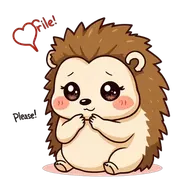
Hedgehog Apple Roll Days (Shy Feels) sticker 27: Hedgehog kneels with both paws pressed together pleading, huge glistening...
Hedgehog Apple Roll Days (Shy Feels) sticker 28: Hedgehog bows low with a big sweat drop and an apology bandage on its head,...
Hedgehog Apple Roll Days (Shy Feels) sticker 29: Hedgehog wraps its little arms around a smaller crying hedgehog friend, gently...
Hedgehog Apple Roll Days (Shy Feels) sticker 30: Hedgehog sits at a tiny desk buried under a tall stack of papers, typing fast...
Hedgehog Apple Roll Days (Shy Feels) sticker 31: Hedgehog sweeps fallen leaves with a small broom, a tiny cleaning cloth tucked...
Hedgehog Apple Roll Days (Shy Feels) sticker 32: Hedgehog soaks in a small round bath tub full of bubbles, a towel on its head...
Hedgehog Apple Roll Days (Shy Feels) sticker 33: Hedgehog walks home with a small shopping bag full of fruit, extra apples and...
Hedgehog Apple Roll Days (Shy Feels) sticker 34: Hedgehog holds a phone to its ear with a big smile, little sound wave lines and...
Hedgehog Apple Roll Days (Shy Feels) sticker 35: Hedgehog taps its foot while checking a small wristwatch, cheeks puffed and a...
Hedgehog Apple Roll Days (Shy Feels) sticker 36: Hedgehog holds up a small birthday cake with lit candles, wearing a tiny party...
Hedgehog Apple Roll Days (Shy Feels) sticker 37: Hedgehog salutes sharply with one paw at its brow, standing tall with a...
Hedgehog Apple Roll Days (Shy Feels) sticker 38: Hedgehog waves goodbye while rolling away into the distance, looking back over...
Hedgehog Apple Roll Days (Shy Feels) sticker 39: Hedgehog sits wrapped in a fluffy blanket hugging a warm mug, staring out a...
Hedgehog Apple Roll Days (Shy Feels) sticker 40: Hedgehog sleeps curled up in a leaf nest under a crescent moon and stars, a...

What is in this pack

Captions in this set are in English where a sticker has text. A few examples of what the characters do:

How to use these stickers

WhatsApp on iPhone
  1. Download the WebP ZIP of the pack you like. In Safari it is saved to the Files app (Downloads folder).
  2. Open Files, tap the ZIP once to unzip it. You get one folder per WhatsApp pack (whatsapp-pack-1, and whatsapp-pack-2 for bigger sets).
  3. Install a free sticker maker app from the App Store, for example Sticker Maker. WhatsApp itself cannot import loose files, so a helper app does the last step.
  4. In the app choose Create a new sticker pack, type a name and your author name, then pick the tray icon: use tray.png from the folder.
  5. Tap each empty slot and add the images from the folder (up to 30 per pack). WebP files work as they are, nothing to resize.
  6. Tap Publish, then Add to WhatsApp, and confirm. Open any chat, tap the sticker icon next to the text box and find your new pack in the tray.

Full iPhone guide

WhatsApp on Android
  1. Download the WebP ZIP of the pack. Chrome saves it to your Downloads folder.
  2. Open Files by Google (or your phone file manager), tap the ZIP and choose Extract. You get whatsapp-pack-1 (and whatsapp-pack-2 for sets with more than 30 stickers).
  3. Install a free sticker maker app from Google Play, for example Sticker Maker. It talks to WhatsApp for you.
  4. Create a new sticker pack in the app, enter a pack name and author, and pick tray.png as the tray icon.
  5. Add the extracted WebP images to the pack (3 to 30 stickers per pack).

  6. Tap Add to WhatsApp, confirm, then open a chat and tap the sticker icon. Your pack is in the tray at the bottom.

Full Android guide

Telegram
  1. Download the PNG ZIP of the pack and unzip it. Telegram wants 512x512 images, which is exactly what these are.
  2. Open a chat with the official bot @Stickers (check the blue badge) and send /newpack.
  3. Choose the pack type (static stickers), then give the pack a name.
  4. Send the first sticker as a file, not as a photo: on phone tap the paperclip and pick File, on desktop drag it in and untick Compress. Telegram then asks for one emoji for it.
  5. Repeat for each sticker you want (up to 120 per pack). Send /publish when you are done, skip the icon if you like, and choose a short link name.
  6. The bot replies with a t.me/addstickers link. Open it and tap Add Stickers. They now appear in every chat.

Full Telegram guide

Signal
  1. Download the PNG ZIP of the pack and unzip it on your computer. Signal accepts PNG stickers up to 300 KB each; the PNGs here are 512x512 and under that size.

  2. Open Signal Desktop (it must be linked to your phone). Choose File, then Create/upload sticker pack.
  3. Drag all the images from the folder into the window. Give each sticker an emoji, then enter a pack title and an author name.
  4. Click Next and then Upload. Signal publishes the pack and shows you a link.
  5. Share the link with yourself or friends. Open it on your phone and tap Install. The pack appears in the sticker picker in every chat.

Full Signal guide

Want every pack in one download?

Members get all 98 packs (3,873 stickers) in a single ZIP, plus at least 50 new sticker packs every month, and members get them first. The free packs stay free either way.



See membership

More cute sticker packs

Last updated November 2026. Free for personal use in chats; please do not resell the files. See the terms.